You’ve got a quote for a custom website that costs several times what a template would. Both look good in the demo. One feels like an investment, the other like a bargain, and you can’t tell which is the smarter move.
The honest answer is that it depends on where your business is today and where it’s going. This guide compares a custom website vs a template in plain language, so you can choose with confidence and avoid paying for more, or less, than you need. It’s written for busy owners and teams who want clear answers, not jargon.
What’s the Difference?
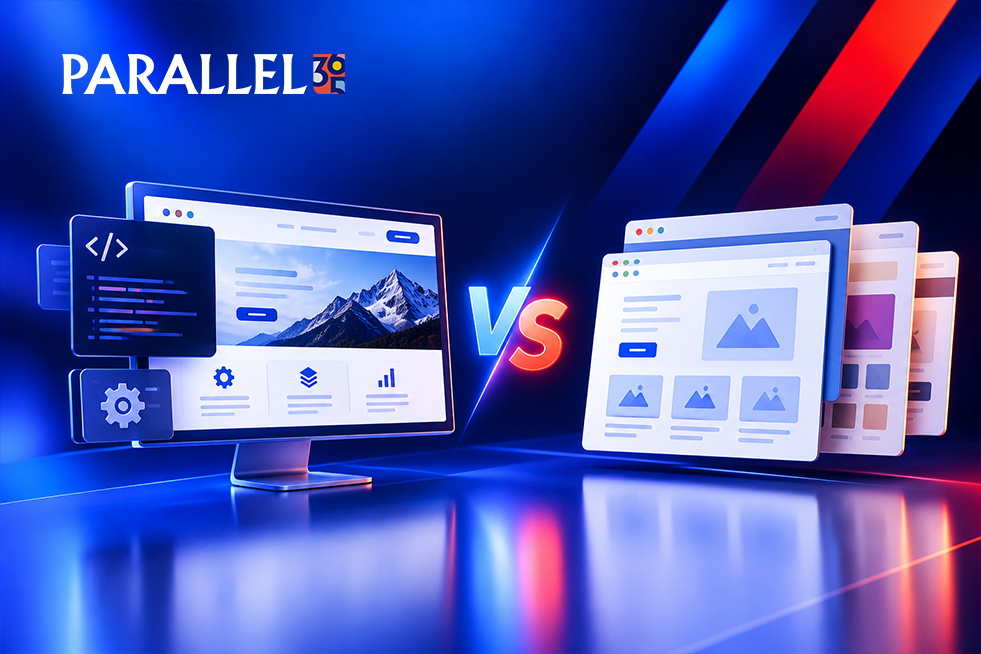
A template (also called a theme) is a pre-built design. You choose a layout, then add your own text, images, and colors. A custom website is planned, designed, and built around your business, your customers, and your goals, rather than adapted from a ready-made layout.
It isn’t always either-or. Many sites fall in between: a quality template with real customization. If you’re comparing a custom website vs a WordPress theme, remember that a theme is simply a template for WordPress, and a custom build means the design and features are made for you. If you’re still deciding which platform to use, our guide to WordPress vs Shopify vs Wix for Small Businesses can help you compare your options.
Template Website Pros and Cons
Templates have a bad reputation they don’t fully deserve. Here’s the fair view of template website pros and cons.
Pros
• Lower upfront cost. Great when budget is tight.
• Fast launch. A simple site can go live in weeks.
• Proven layouts. Many are tested and easy to use.
• Easy to start. You can build and update it yourself.
Cons
• It can look like everyone else’s. Others use the same design.
• Built-in limits. Custom features and layouts can be hard or impossible.
• Extra baggage. Themes often include code and features you’ll never use, which can slow pages.
• Not built around your goals. Layouts aren’t designed for your specific customers or sales process.
Custom Website Design vs Template at a Glance
| Factor | Template | Custom |
|---|---|---|
| Upfront cost | Lower | Higher |
| Launch time | Faster | Longer |
| Design | Shared with others | Unique to you |
| Flexibility | Limited by the theme | Built around your needs |
| Scaling | Can hit a wall | Designed to grow |
| Best for | Simple sites and early stages | Growth, complexity, and standing out |
Are Website Templates Bad for SEO?
Not inherently. Many sites built on templates rank very well. Google doesn’t penalize a site for using one. Search results depend on your content, site structure, speed, and the trust you’ve built.
So are website templates bad for SEO? Only when the template creates problems. Watch for:
• Heavy code and effects that slow pages down
• Rigid layouts that make it hard to add the pages you need, like a page for each service or location
• A pile of plugins added to work around the theme’s limits
• Generic content that looks like every other site in your industry
The reverse is also true. A custom website isn’t automatically better for SEO. A well-chosen template with strong content can outrank a poorly planned custom site. For more insight into what makes a website effective, read Best UX and Conversion Optimization Agencies for B2B Websites.
Is a Custom Website Worth It?
It can be, if the website is a real driver of leads or sales. Think of it as a growth asset, not just a line item. If better design, speed, and conversion bring in even a few extra clients a year, the investment can pay for itself.
It’s less worth it when your site is a simple online brochure, your business is still finding its footing, or you don’t yet have a clear strategy for what the site should do. Paying for custom without a plan just buys an expensive version of the same problem.
When to Choose a Custom Website
Knowing when to choose a custom website comes down to a few signs:
• You need features or integrations a template can’t support
• You’ve outgrown your current template and keep working around its limits
• Standing out matters, and your competitors all look the same
• Your website drives high-value leads, so conversion really counts
• You’re planning to grow, with more services, products, or locations
For a closer look at what goes into a professional redesign, see Best Website Redesign Agencies in Texas.
When a Template Is the Smarter Choice
A template is often the right call when:
• You’re a startup testing your idea and need to launch quickly
• Your budget is limited, and you’d rather invest in marketing first
• You need a simple site with a few pages
• You plan to rebuild once the business grows
If you’re at the early stage of building your business, explore Parallel 365’s Startups / Early-Stage Business Solution for support with establishing your growth foundation.
The Middle Path: A Customized Template
You don’t have to choose all or nothing. A popular option is starting with a quality template and having a designer tailor it: your brand, your page structure, your calls to action. You get a faster launch and lower cost, with a site that feels like yours. As you grow, you can move to a fully custom build.
Whichever route you take, keep your content, accounts, and domain under your own control so a future switch is easy.
Quick Diagnosis: What Fits You Now?
| What You’re Seeing | Consider |
|---|---|
| You need to launch fast on a modest budget | A template, customized where it counts |
| Your site is slow and plugin-heavy | A rebuild, either a cleaner template or custom |
| You look just like your competitors | Custom design |
| You need special features or integrations | A custom build |
| You get traffic but few leads | A conversion-focused redesign, template or custom |
Mistakes That Make It Worse
Whichever way you go, avoid a few common traps:
Choosing on price alone. The cheapest option today can cost the most to fix later.
Picking a template for looks, not goals. A beautiful site that doesn’t capture leads isn’t doing its job.
Going custom without a strategy. Know who the site is for and what it should do before you build.
Ignoring ownership. Make sure you own your domain, hosting, and content, and can move them if needed.
Skipping SEO planning. Page structure, titles, and speed matter on any site, so plan them up front.
How Long Does It Take?
A simple template site can often launch in a few weeks. A custom website takes longer, since it involves strategy, design, and development, often a couple of months or more for larger sites. A realistic timeline up front saves frustration later.
When to Work With a Web Design Partner
Many founders start on their own, and that’s fine. It makes sense to bring in help when:
• You’re unsure whether custom or a template fits your goals
• Your current site isn’t bringing in leads
• You’re moving platforms and can’t risk losing traffic
• You want design, development, and SEO planned together
Whoever you hire, make sure you own your site and accounts, ask to see work for businesses like yours, and look for a team that plans for leads and sales, not just a nice design. Service-based businesses can also explore Parallel 365’s Service-Based Businesses Solution for a growth approach that connects website performance with customer acquisition.
Frequently Asked Questions
What is the difference between a custom website and a template?
A template is a pre-built design you fill with your content. A custom website is designed and built specifically for your business and goals.
Is a custom website worth it?
It can be when your site drives leads or sales, needs special features, or must stand out. For a simple, early-stage site, a template may be enough.
Are website templates bad for SEO?
No, not by themselves. Problems come from slow, heavy code or rigid layouts. Strong content, structure, and speed matter most.
Is a custom website better than a WordPress theme?
Not always. A theme is a template for WordPress and works well for many businesses. Custom is better when you need unique design or features.
Can I start with a template and upgrade later?
Yes. Many businesses do. Keep control of your content and accounts so moving to a custom site later is smooth.
How much does a custom website cost compared with a template?
Custom costs more upfront because it involves design and development tailored to you. The right choice depends on your goals and budget.
Not sure whether custom or a template is right for you? Parallel 365 builds websites as part of a connected growth system, so your site doesn’t just look good, it brings in calls, leads, and customers. Explore Web, UX & Commerce Optimization for website design, user experience, and conversion-focused improvements. You can also learn about Growth Strategy & Market Expansion to see how your website can support wider business goals. Visit Parallel 365 to learn more about its approach. Schedule a strategy review and we’ll help you choose the right approach for your goals and budget.